SASSA Banking Details: How to Change Your SRD Banking Details (2026)
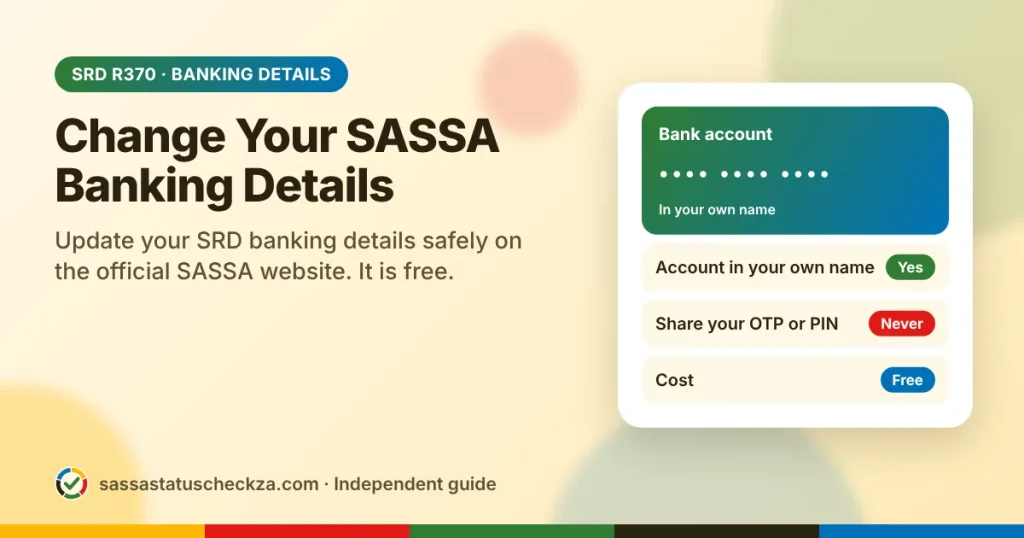
You change your SASSA banking details for the SRD grant on the official SRD website, srd.sassa.gov.za. SASSA sends a secure link by SMS to your registered cellphone number, and you enter your new details there. It is free.
Quick facts
| Question | Answer |
|---|---|
| Where do I change my details? | srd.sassa.gov.za, under “How do I change my banking details” |
| What do I need? | Your ID number, the cellphone number you applied with and your new account details |
| Whose account can I use? | Only your own. SASSA does not pay into another person’s account |
| What does it cost? | Nothing |
| When does it take effect? | After SASSA verifies the account with your bank, often from the next payment |
On this page
When should you update your banking details?
- You opened a new bank account or closed your old one.
- Your status says “bank details pending”.
- Your month was approved, but the payment failed.
- You want to switch between cash collection and a bank account.
How to change your SASSA banking details
- Go to srd.sassa.gov.za. Check that the address ends in .gov.za.
- Scroll to How do I change my banking details.
- Enter your ID number and submit.
- Open the SMS that SASSA sends to your registered number. It contains a secure link that is unique to you.
- Tap the link. If the page asks you to verify your identity, take a selfie as instructed.
- Choose how you want to be paid, and enter your details.
- Check every digit, then submit.
Your payment options
| Option | How it works | Good to know |
|---|---|---|
| Your own bank account | SASSA pays the R370 straight into your account | This is the fastest and safest option |
| Cash send | You collect cash at a participating retailer, such as Pick n Pay, Boxer, Shoprite, Checkers or Usave | Your cellphone number must be registered in your own name. Take your ID when you collect |
Rules that SASSA applies
- The account must be in your own name, and the ID number on it must match yours.
- You can submit only your own banking details.
- Joint accounts, business accounts and credit card accounts usually fail verification.
- SASSA verifies every new account with the bank before it pays.
How long does a change take?
SASSA first verifies your new account with your bank. This can take a few days, and the change may apply only from your next payment.
The best time to change your details is just after you have been paid for the month. Avoid changes during the payment period, from about the 20th to the 30th, because a change can delay that month’s payment.
How to fix common problems
| Problem | Likely cause | What to do |
|---|---|---|
| Status says “bank details pending” | SASSA has no verified account for you | Submit your details by following the steps above |
| Bank verification failed | Your name or ID number does not match the bank’s record, or the account is closed or dormant | Ask your bank to correct or reactivate the account, then submit your details again |
| No SMS link arrives | You are using a different SIM card, or the network is slow | Use your registered number and try again later |
| Approved, but no payment | Your new details are still being verified | Check your status again after a few days, then call 0800 60 10 11 |
Lost the SIM card you applied with? Call 0800 60 10 11 to update your cellphone number first. Without it, you cannot receive the SMS link.
Stay safe
- Change your details only on srd.sassa.gov.za.
- Never share your SMS link, OTP or bank PIN with anyone.
- SASSA never asks for your card PIN.
- Nobody can change your details for a fee. Anyone who offers to do so is a scammer.
Frequently asked questions
Can I use someone else’s bank account?
No. SASSA pays only into an account in your own name. A payment to another person’s account will fail.
Can I change my banking details without the SMS link?
No. The link proves that the request comes from you. If you no longer have your registered number, update the number first.
How many times can I change my banking details?
SASSA has not published a limit. However, every change needs a new verification and can delay your payment, so change your details only when you need to.
Do the Older Persons and Child Support grants use the same page?
No. This page is for the SRD grant only. For other grants, visit a SASSA office with your ID and proof of your bank account.
Why was I approved but not paid?
The most common cause is a problem with your banking details. Check that the account is open, active and in your own name.
This guide is independent and is not affiliated with SASSA. For official information, visit sassa.gov.za or call 0800 60 10 11.